Solutions


Services


Why DeltaXignia
Business Need

Version Control & Collaboration

Data Consistency & Management

AI & Automation
Industry

Aviation

Manufacturing

Legal
Markup & Data Format

XML

JSON

HTML
Business Need
Version Control & Collaboration
Data Consistency & Management
AI & Automation
Industry
Aviation
Manufacturing
Legal
Markup & Data Format
XML
JSON
HTML
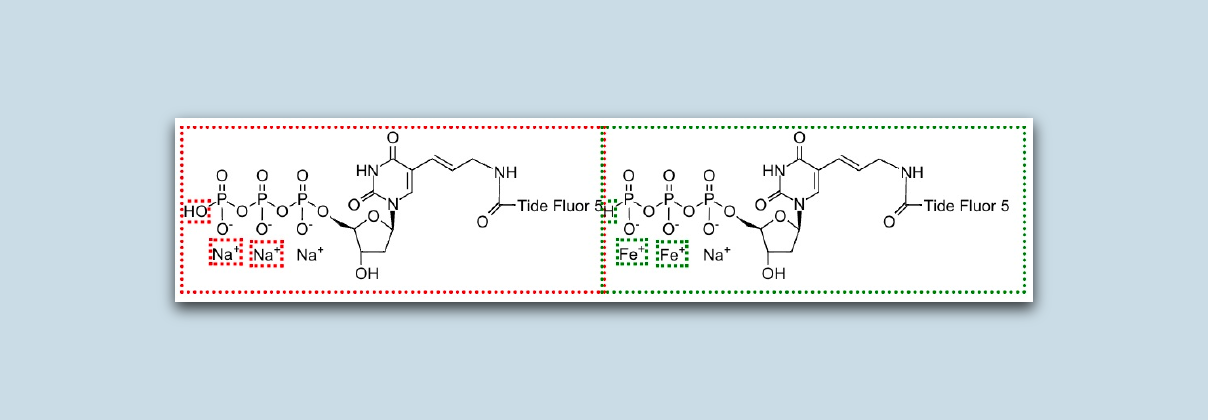
The SVG (Scalable Vector Graphics) XML format has been around for many years and has made its way into many other XML grammars such as DITA and DocBook. While DeltaXignia products have included functionality to mark up differences in references to binary images, SVG has been treated as regular XML with changes marked up using our standard delta format.
By popular demand, XML Compare 13 brings a change to the way that embedded SVG images are handled and now graphically highlights changes within the images themselves. Using customisable object styling, modifications are highlighted in the original and updated version of each image.
While this markup works for all SVG content, it is most effective on images such as diagrams, flowcharts, and technical drawings where objects within the image are defined individually and changes include deletion, addition and movement of objects.
Sometimes, images go through a considerable amount of change from one version to the next. In those cases, the highlighting shown above may become overwhelming in the result image. The SVG Compare feature includes a fallback mechanism that includes both versions of the image with no inner highlighting so that you can see the two original images within the context of the result. The following example is a simple case but more complex cases benefit from this output type much more.
This parameter sets whether changes should be marked within the images (‘detailed adjacent’) or not (‘adjacent’)
When the number of changes becomes too high (configurable as a percentage), the granularity automatically falls back to the ‘adjacent’ setting.
This allows a custom markup style for inline change highlighting in the images.
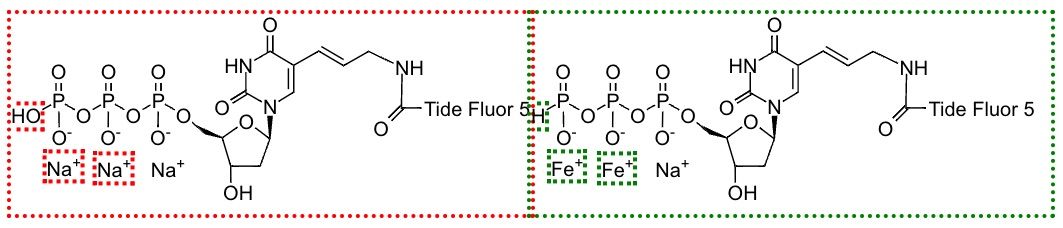
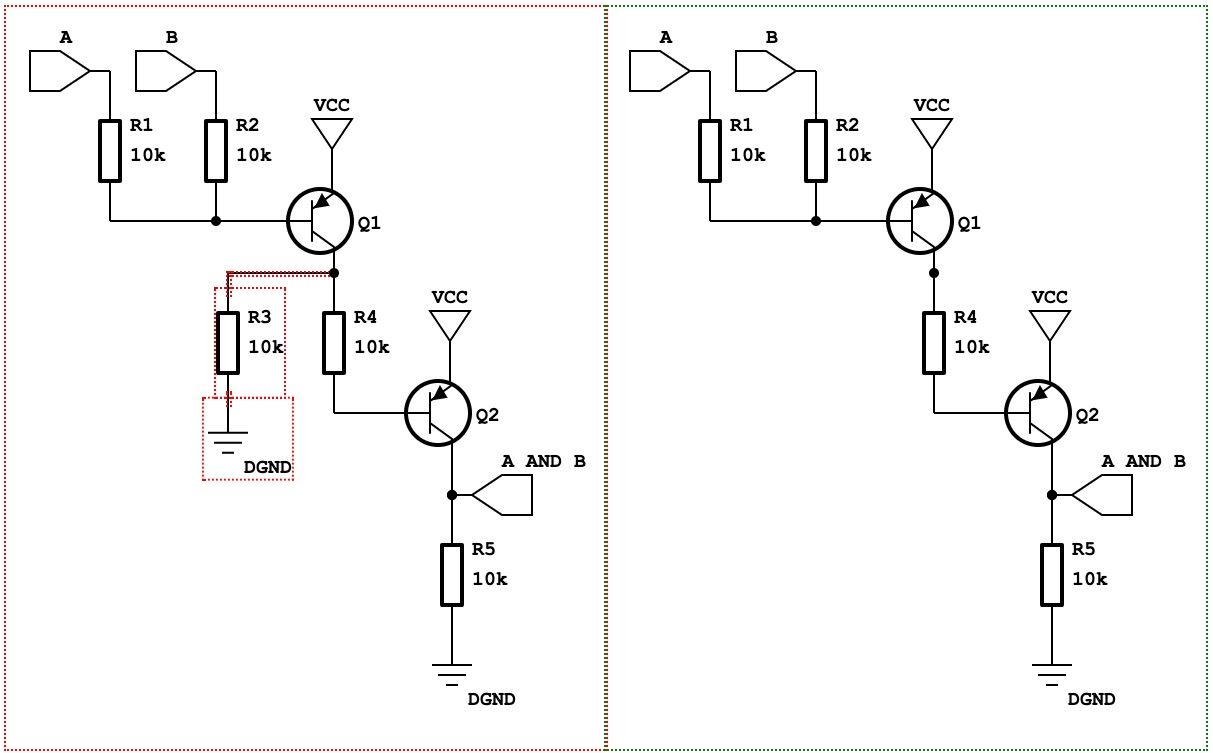
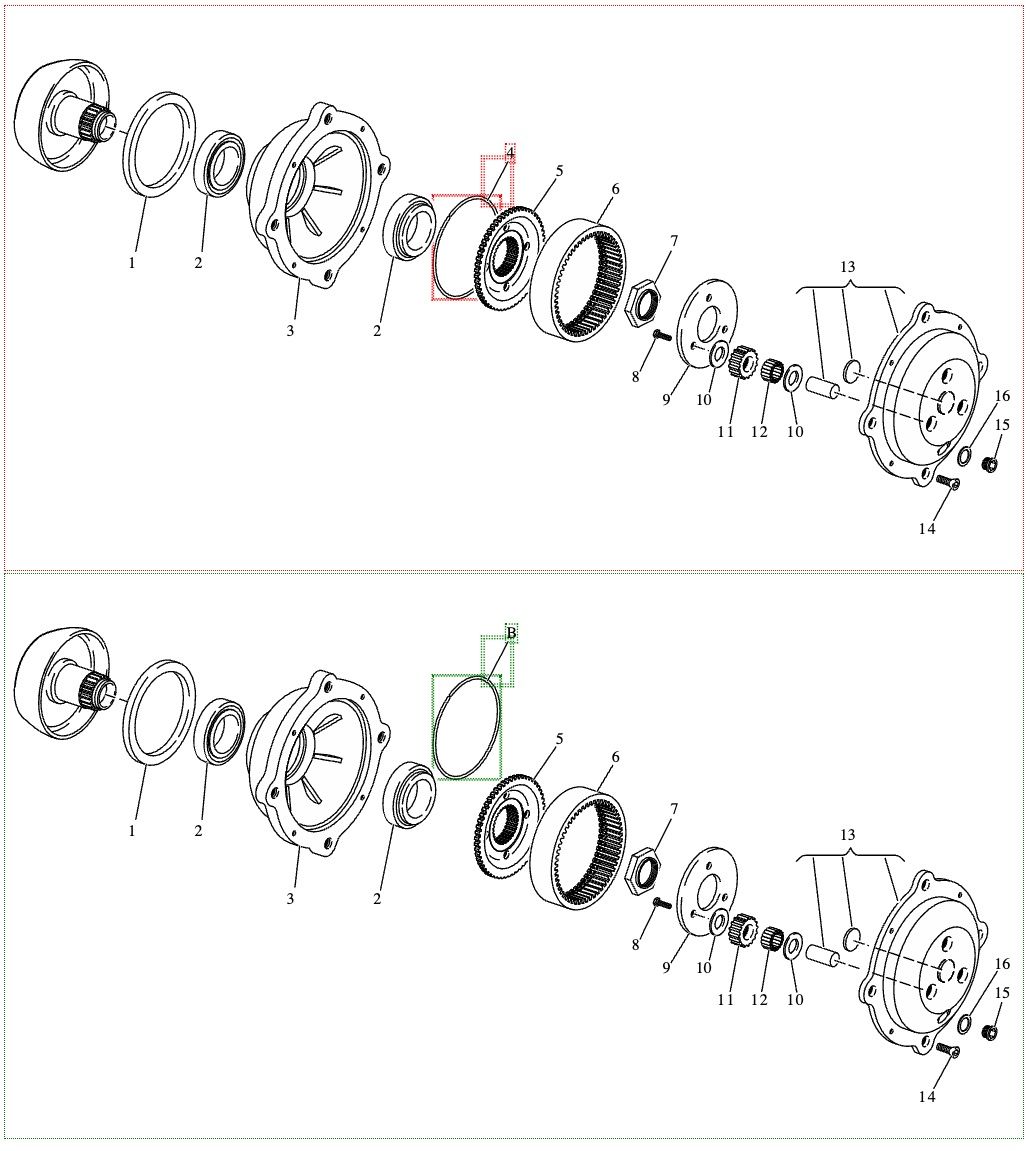
SVG Comparison will roll out to our other products shortly, including DITA and DocBook, so subscribe now for the latest updates. We are always keen to hear your feedback so update your XML Compare today simply by downloading from MyDelta.


From ISO Quality Services Ltd.